Deck Studio: Prototyping a Card Game as a Physical Product
 Jaylin Horta
A card game looks finished on screen long before it is finished as an object. The art can be ready while the real questions are still open: how thick is the deck, does it fit the box, where does the rulebook go, and what does the whole thing feel like when you open it?
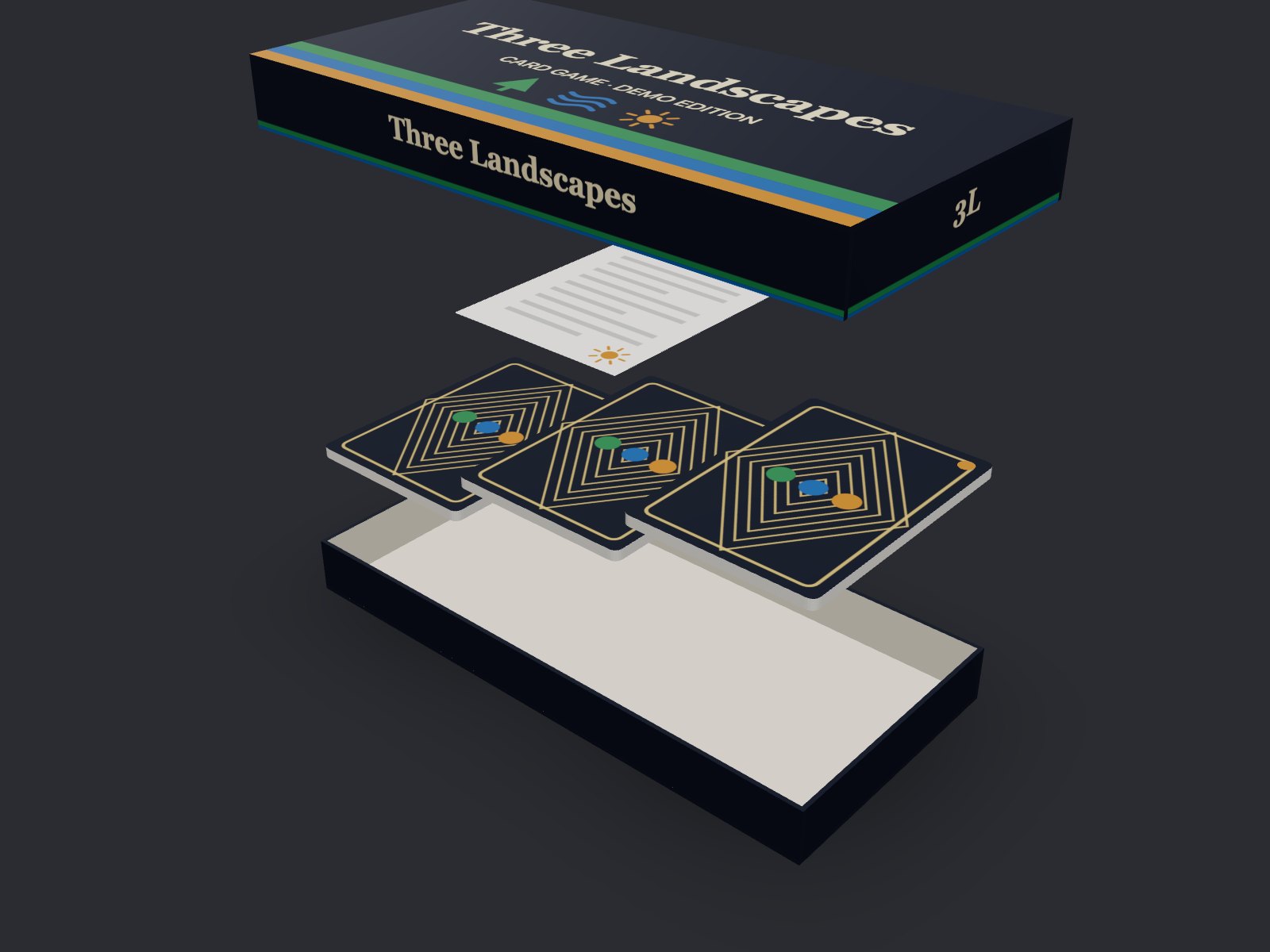
Deck Studio is an experiment to answer those questions early. You load your card art, set the physical specs, and see the product assembled in 3D: cards, decks, packaging and the instruction sheet.
Why I built it
I made Deck Studio for the students in my graphic design course, Diseño de ilustración computarizada con vectores (computer-aided vector illustration), at the Universidad del Sagrado Corazón in Santurce, San Juan, Puerto Rico. The course is part of the university’s Escuela de Artes, Diseño e Industrias Creativas. Their final project is a game deck, and it asks for much more than illustrations: they have to think through the game mechanics, the name, the visual design, the illustrations, the instructions, the board, the game pieces, the packaging and everything else that turns an idea into a game someone can open and play.
Most of that work happens flat, one artboard at a time, and it’s hard to judge the whole until it’s printed. Deck Studio lets students prototype their design digitally first: they can see their cards, box and rulebook come together as an object, catch problems with size and fit, and adjust before they spend time and money on printing.
From flat art to a physical product
Everything in the tool starts from real measurements, in inches by default or millimeters if you prefer.
- Cards. Preset sizes like US poker (2.5 × 3.5 in) or tarot, or a custom size. Set the thickness of a single card and the corner radius, and the stack thickness is calculated for you.
- Artwork. Drop PNG, JPG or WebP files and they’re assigned in order to the cards still missing art. Use one shared back or give individual cards their own. Fill, fit, move, scale and rotate each image.
- Decks. Split the cards into several decks, rename them, reorder cards by dragging, and move cards between decks. The total is always the sum of the decks, so the numbers never contradict each other.
- Packaging. A tuck box with a flap or a rigid box with a lid, with artwork on every face. Open it, close it, or pull the components apart.
- Instructions. A flat, half-fold or tri-fold sheet that unfolds in 3D so you can review both sides, then folds back into the box.
Deal it on the table
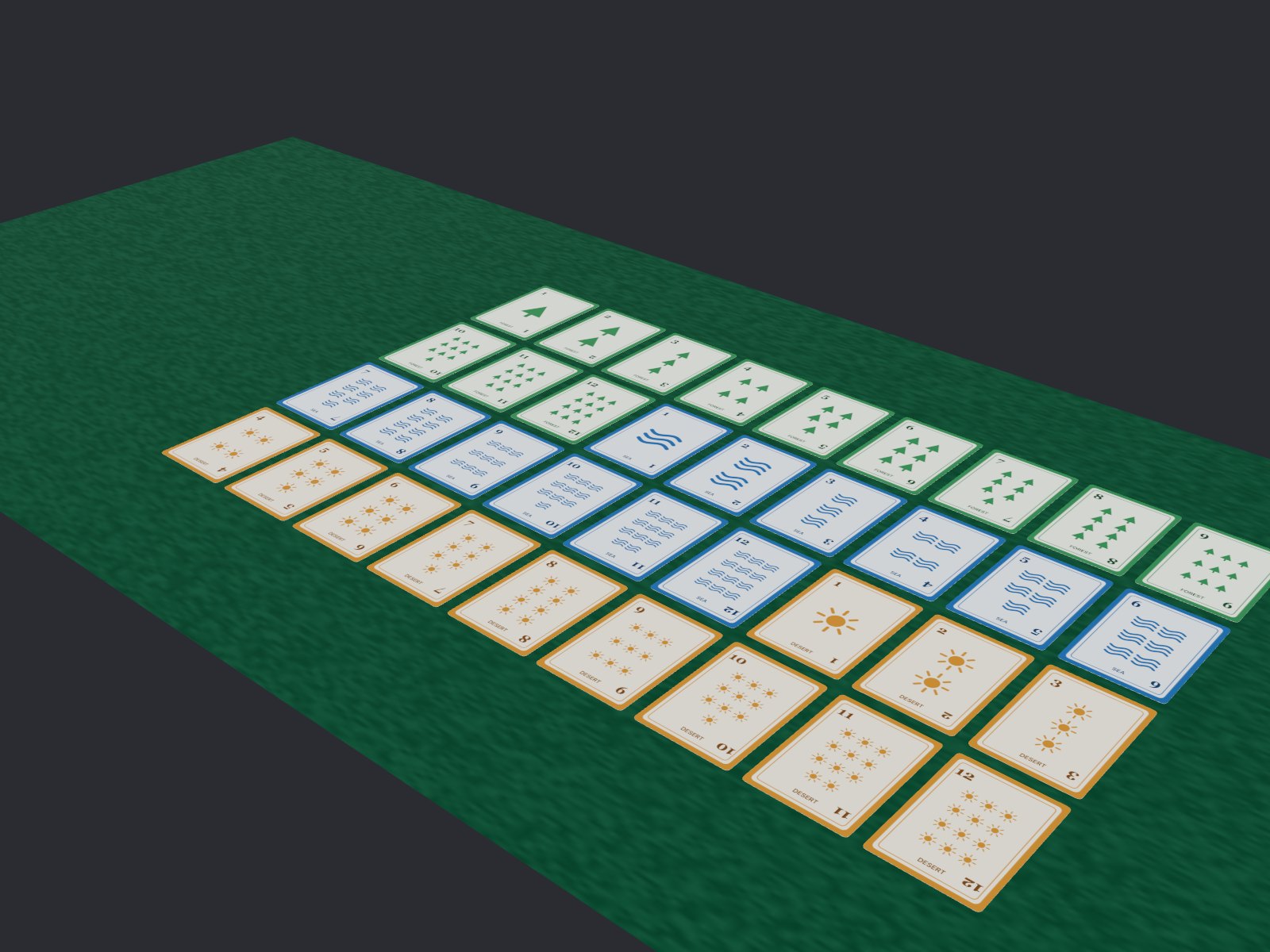
Seeing a deck as a block in a box is useful. Seeing every card is better. The Table view gathers the cards into a face-down pile and deals them one by one onto a felt surface, flipping each card face up as it lands. You can shuffle, change the speed, deal a single deck, flip any card by clicking it, or flip them all at once. It’s the closest thing to spreading a printed proof across a real table.
Does it fit?
The tool keeps checking the space for you. It calculates suggested inner dimensions for the box from the decks, the folded instructions and the clearance you want around them, and it warns you, in plain language, when something exceeds the box, when the clearance is tighter than you asked for, or when two decks overlap.
In the 2D editor, every card, box face and sheet side shows its trim line, bleed and safe area, plus the effective resolution of your image at that size. These guides are visual references. Deck Studio is a planning tool, not a certified prepress system, so confirm dielines and specs with your printer.
Under the hood
Deck Studio is built with React, TypeScript and Three.js (through React Three Fiber). A few decisions made it work:
- One unit, one conversion. The model is stored in millimeters and converted to the 3D scene in a single place. Inches are just a display layer, so switching units never changes your project.
- The same pixels in 2D and 3D. Thumbnails, the 2D editor and the 3D textures are drawn by the same function, so what you adjust in one is exactly what you see in the others.
- Light on large decks. A deck in the box is a single block with two textured faces, however many cards it holds, and textures shared by many cards are created once.
- Everything stays on your device. Projects save automatically in your browser, images included. You can download a project file to move it elsewhere, plus a PNG capture and a measurements summary.
The interface is in English and Spanish. Start from the demo, a small game called Three Landscapes, or drop in your own deck and see it become an object before it goes to print.